Author: Andrzej Majewski

  • Is FreePBX Free? Decoding the Real Costs of a Business VoIP System in 2026

    Is FreePBX Free? Decoding the Real Costs of a Business VoIP System in 2026

    Many business owners across the United Kingdom are currently asking, is FreePBX free, as they navigate the mandatory transition away from traditional analogue phone lines. In the landscape of modern business communication, the term “free” is often used as a lure that, in reality, masks a series of hidden overheads. When it comes to the FreePBX system, the answer to whether it is truly free is not one-dimensional. It can be summarised in a single sentence: the software core is completely free of charge, but building a professional, secure, and stable telecommunications system for a business requires well-planned investment.

    As experts at Phones Rescue, a specialized brand within the SolutionsInc group, we deploy these systems daily for clients ranging from small boutiques to large warehouses. We consistently see how they generate massive savings compared to “closed” proprietary solutions like Cisco, Avaya, or even subscription-heavy platforms like MS Teams. In this comprehensive guide, we will walk you through every financial aspect to answer the question: is FreePBX free throughout its entire lifecycle in a professional British business environment?

    What is FreePBX Exactly and Why Does it Spark Cost Questions?

    To understand the financial model of FreePBX, we must first distinguish between two distinct concepts: the telephony engine and its interface. When people ask is FreePBX free, they are usually looking for a high-end business tool that doesn’t carry the “per-user, per-month” burden of cloud providers.

    The Heart of the System: Asterisk and the Graphical Revolution

    Most professional VoIP phone systems globally are built upon an engine called Asterisk. It is a powerful open-source tool capable of handling thousands of concurrent calls. The challenge, however, is that managing “raw” Asterisk is akin to writing code in a terminal window—it requires immense technical expertise and time.

    FreePBX is the Graphical User Interface (GUI) that sits on top of Asterisk. It allows for the management of complex features—such as adding new extensions, setting office opening hours, or call recording—conveniently through a web browser. It is this simplicity that makes the system so popular, yet the question is FreePBX free remains a frequent topic of debate because of the commercial ecosystem surrounding it.

    Open Source Philosophy vs. Enterprise Needs

    FreePBX operates at the intersection of two worlds. On one hand, we have the source code available to everyone for free. On the other, there is Sangoma (the project owner), which offers stability and support at a corporate level. This leads to common misunderstandings: users see the “Free” label, but upon installation, they discover a store filled with paid modules. We will explain later why these modules are not a “trap” but rather a tool for professionalisation.

    Is FreePBX Free? The Licensing Model in Practice

    The short answer is: Yes, FreePBX is free software. It is distributed under the GNU General Public License (GPL), which is the gold standard for open-source software.

    The Core System for £0

    This means that you can legally:

    1. Download the framework completely free of charge from the official website.
    2. Install it on an unlimited number of servers.
    3. Use it without paying “per user” or “per extension” licensing fees.

    This is a fundamental shift compared to systems like Microsoft Teams, 3CX, or Zoom Phone, where costs scale linearly with every new employee. In FreePBX, adding 50 or 100 new extensions costs you exactly £0 in licensing fees. So, if you are strictly looking at the software code, the answer to is FreePBX free is a resounding yes.

    What Exactly is Included in the Free Package?

    The free version of FreePBX is by no means a “lite” version. It is a fully functional PBX that offers:

    • Unlimited Extensions: Create as many users as your hardware can handle.
    • Interactive Voice Response (IVR): “Press 1 for sales, 2 for support”.
    • Queues: Manage incoming traffic for customer service departments.
    • Time Conditions: Automatically switch the system to night mode or weekend mode.
    • Voicemail to Email: Recordings sent directly to your inbox.
    • CDR Reporting: A basic log of all calls made and received.

    Paid Add-ons: The Commercial Modules

    Despite the powerful free base, in business, efficiency and time are paramount. Sangoma offers Commercial Modules, which are proprietary extensions. These often cause users to ask again: is FreePBX free if I need these tools? These modules are designed to automate tasks that would otherwise require hours of manual configuration or custom scripting.

    Why Do Professional Companies Pay for Modules?

    Most commercial licences are granted for 25 years, making them effectively a one-off capital investment. Here are the most critical ones we frequently implement at Phones Rescue:

    1. Endpoint Manager (EPM): Without this, every IP phone must be configured manually. EPM allows you to manage hundreds of devices (Yealink, Cisco, Poly) centrally from within FreePBX.
    2. SysAdmin Pro: Essential for easy management of system updates, error notifications, and secure SSL certificates.
    3. Phone Apps: These give employees the ability to control PBX functions (e.g., logging into queues, parking calls) directly from the screen of their physical desk phone.
    4. CRM Link: Allows for the integration of the PBX with systems like Salesforce, Zoho, or SugarCRM.
    Module PackageEstimated Cost (USD)Who is it for?
    System Admin Proapprox. $39Every stable installation.
    Endpoint Managerapprox. $199Companies with more than 5 IP phones.
    Starter Bundleapprox. $349SMEs needing faxing and admin tools.
    Call Center Bundleapprox. $2,299Large service desks with advanced reporting.

    The UK Context: PSTN Switch-off and VoIP Infrastructure

    In 2026, telecommunications in the UK is facing its biggest change in decades. With the Openreach PSTN switch-off, businesses are forced to move to IP-based systems. When evaluating is FreePBX free, you must consider the infrastructure required to replace your old lines.

    1. Servers: Cloud Hosting vs On-premise

    In the UK, energy costs and connectivity stability influence this choice.

    • Cloud Hosting (OpEx): You pay a monthly subscription for a Virtual Private Server (VPS). Through our SolutionsWeb brand, we offer VPS hosting optimised for VoIP with ultra-low latency. Cost: £10–£40 per month.
    • On-premise Hardware (CapEx): A one-off purchase of a server (e.g., a mini-PC). Cost: £400+. This is often the cheapest long-term answer to the question is FreePBX free because it eliminates monthly hosting fees.

    2. Networking and QoS (Quality of Service)

    VoIP traffic is sensitive. A “free” system will fail if your office router cannot prioritise voice packets. You may need to invest in:

    • QoS-capable Router: (from £150).
    • PoE Switches: To power IP phones without messy power bricks (from £100).

    Connectivity: SIP Trunk Costs (The Fuel)

    FreePBX without a SIP Trunk provider is like a car without fuel. While the software doesn’t cost anything, the “fuel” does. This is a vital part of determining is FreePBX free in reality.

    As partners with operators like Voipfone, we provide SIP trunks that replace your traditional BT lines. In 2026, most UK providers offer “unlimited channels,” meaning you only pay for the minutes or fixed numbers.

    Estimated UK Connectivity Costs:

    • UK Geographic Number (DDI): approx. £2–£5 per month.
    • Call Charges: typically 70% cheaper than traditional lines (e.g., 1-2p per minute to UK landlines).
    • Security Standards: Using TLS/SRTP encryption is standard in our deployments to prevent eavesdropping.

    Security: The Cost of Negligence

    This is where free systems most often fail—not because of software bugs, but because of poor configuration. If you ask is FreePBX free and ignore security, you could face devastating financial consequences.

    The Threat: Toll Fraud

    Hackers search for poorly secured PBXs to make thousands of minutes of calls to premium-rate numbers. In the UK, we have seen businesses hit with bills for £10,000+ in a single weekend.

    Security Costs to Consider:

    • VPN Implementation: For secure remote working.
    • Fail2Ban Configuration: Automatically blocking malicious IP addresses.
    • Encryption (TLS): Protecting your calls from being intercepted.

    DIY Installation vs. Managed Services: ROI Analysis

    Many business owners try to DIY, hoping to keep the answer to is FreePBX free as “it costs me zero pounds.”

    The DIY Reality:

    • Time Cost: 40–60 hours of learning.
    • Opportunity Cost: If your time is worth £50/hour, that’s £3,000 in lost productivity.
    • Risk: High vulnerability to hacks.

    The Phones Rescue Advantage: By choosing Phones Rescue, you get a system that is “hardened” from day one. We handle the technical foundation, allowing you to focus on growth. The setup fee is a one-off investment that secures your business communication for years to other.

    Frequently Asked Questions (FAQ)

    Is a Free VoIP System Worth It?

    Over a 3–5 year period, FreePBX is unrivalled in terms of cost-effectiveness. The absence of per-user monthly fees means that every additional person added to the company drastically reduces the average cost per extension.

    However, for the system to be a true asset rather than a liability, it must be deployed following the best practices of security and performance. At Phones Rescue, we provide the complete solution: from hardware selection and secure configuration to call cost optimisation.

    Want to know exactly how much a FreePBX deployment would cost for your business? Request a free quote and network audit from our experts today.

  • 📱 iPhone Display Repair at Phones Rescue – Best Prices in Town, Repaired in One Hour! 🕐

    📱 iPhone Display Repair at Phones Rescue – Best Prices in Town, Repaired in One Hour! 🕐

    🔧 Are you tired of looking at a cracked or malfunctioning iPhone screen? Look no further! Phones Rescue is here to provide you with the best display repair services in town, offering unbeatable prices and lightning-fast repairs.

    ⚡️ We understand the frustration of having a damaged iPhone screen, so we pride ourselves on our quick turnaround time. With our efficient repair process, you can fix your iPhone’s display within just one hour, allowing you to return to using your device without further delay.

    💰 And here’s some great news! We have just lowered our prices, making our already competitive rates even more affordable. At Phones Rescue, we believe high-quality repairs shouldn’t break the bank, and we are committed to providing you with the best prices in town.

    ✅ Our skilled technicians at Phones Rescue are well-equipped to handle various display issues, including cracked screens, unresponsive touchscreens, and display discolouration. With their expertise and experience, you can trust that your iPhone will be in capable hands.

    🛠️ In addition, Besides our exceptional repair services, we only use great quality parts at Phones Rescue to ensure the highest quality and compatibility. Your iPhone deserves the best, and we deliver just that.

    🕒 Don’t waste your time and money on unreliable repair services or costly alternatives. Visit Phones Rescue today and experience the convenience of our fast and now even more affordable iPhone display repair service. Get your device back to its full glory in no time!

    📞 Contact us now to schedule your iPhone display repair appointment at Phones Rescue or drop by our store. We are ready to provide you with the best repair service, prices, and the quickest turnaround time in town. Trust Phones Rescue with your iPhone; we’ll make it shine again!

    #PhonesRescue #iPhoneRepair #DisplayRepair #BestPrices #FastService #QualityRepairs #iPhone Display Repair

  • Unlock Limitless Possibilities withModChip Instinct-NX for Nintendo Switch OLED

    Unlock Limitless Possibilities withModChip Instinct-NX for Nintendo Switch OLED

    Introduction

    Welcome to Phones Rescue, your go-to destination for all things related to smartphone and console repair. Today, we are thrilled to introduce the ModChip Instinct-NX, designed specifically for the Nintendo Switch OLED. With this groundbreaking modchip, you can unlock a world of endless possibilities by running Homebrew programs on your console. Join us as we delve into the details of this exciting advancement.

    Breaking Barriers and Expanding Horizons

    At Phones Rescue, we understand the desire for customization and exploration that many Nintendo Switch OLED owners have. Our ModChip Instinct-NX is the ultimate solution, granting you the freedom to explore a wide range of Homebrew programs and applications that were previously inaccessible.

    Seamless Installation Process

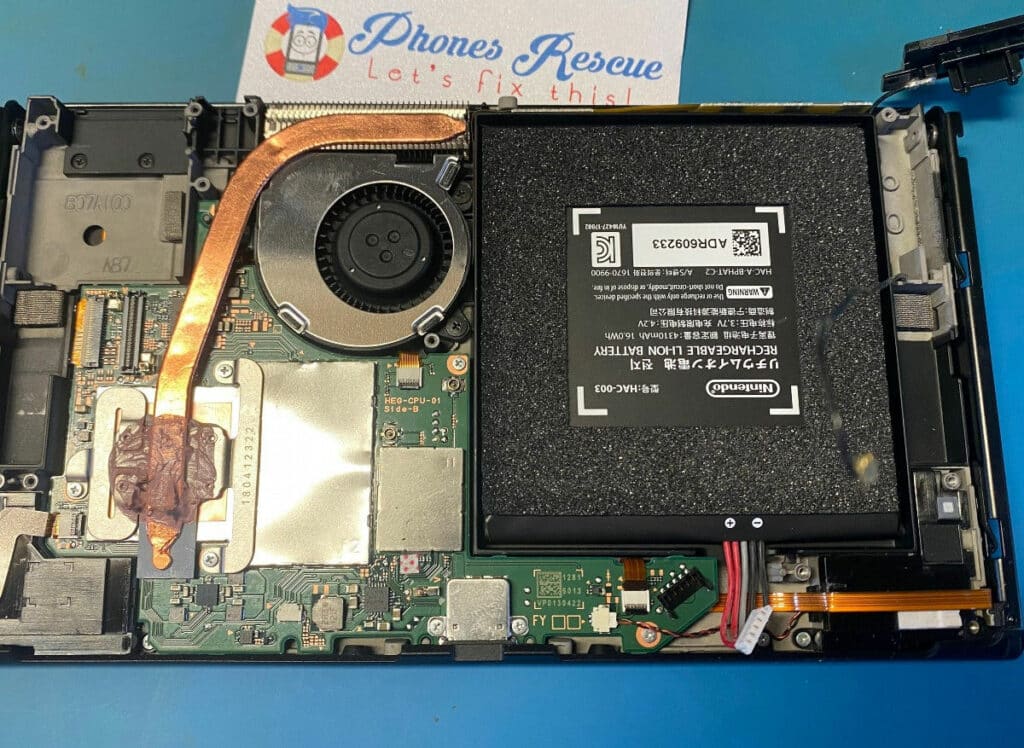
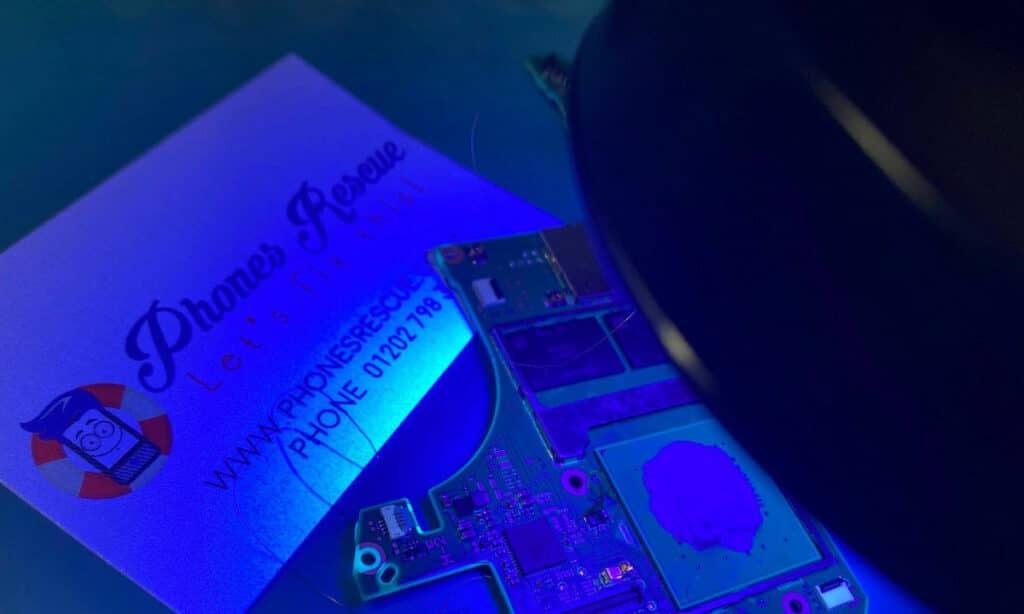
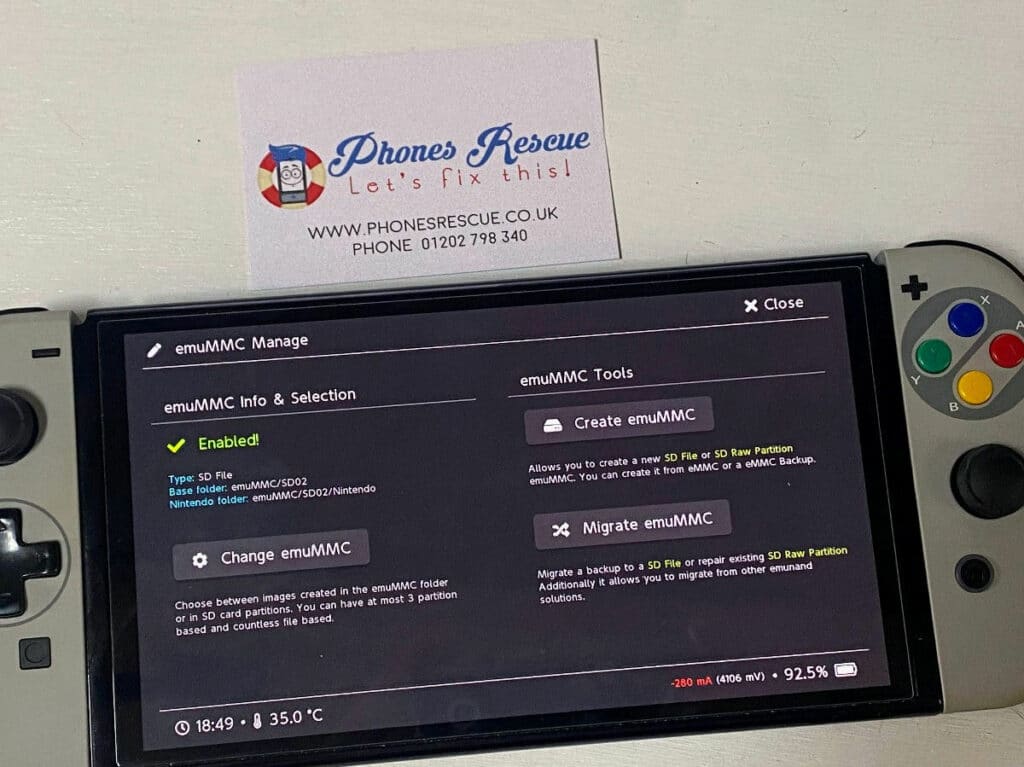
    Our skilled technicians excel in installing the ModChip Instinct-NX with utmost precision and care. During the installation, we meticulously solder the necessary components to the eMMC chip and the processor, ensuring seamless integration with your Nintendo Switch OLED console. Rest assured, our team possesses the expertise to handle the installation process with the utmost professionalism and proficiency.

    Harnessing the Power of Hekate

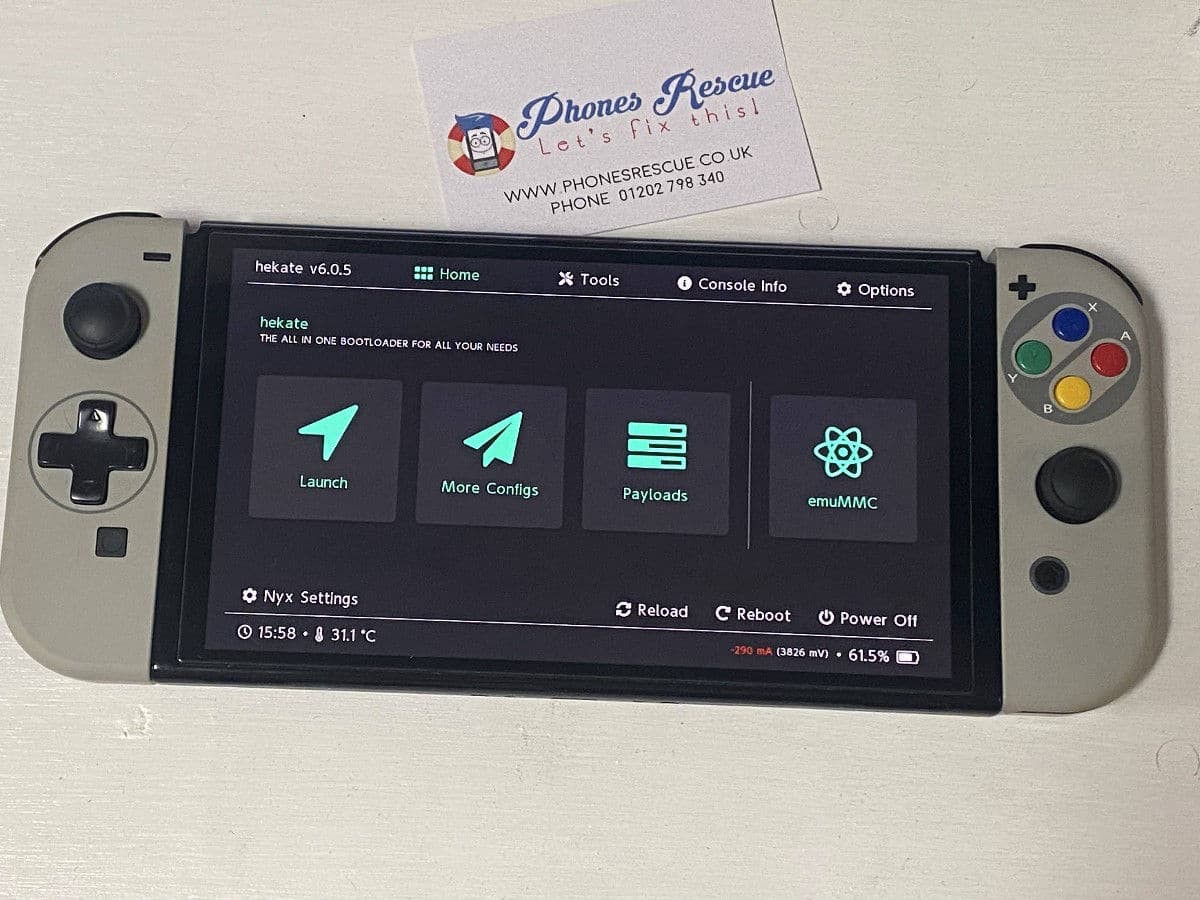
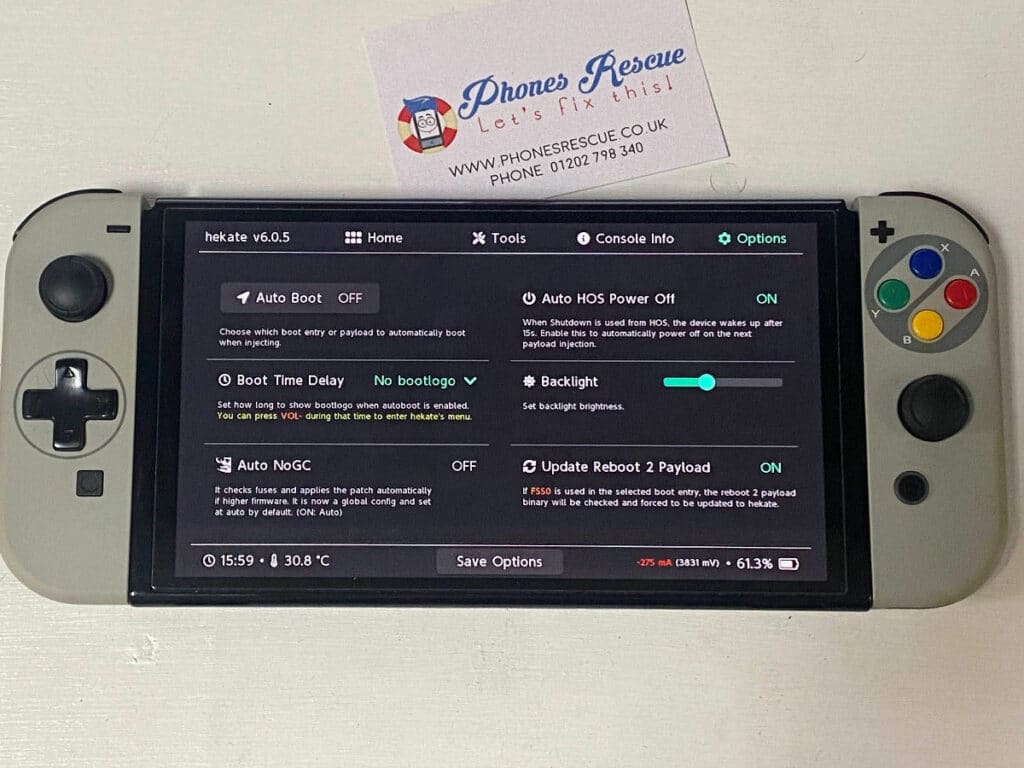
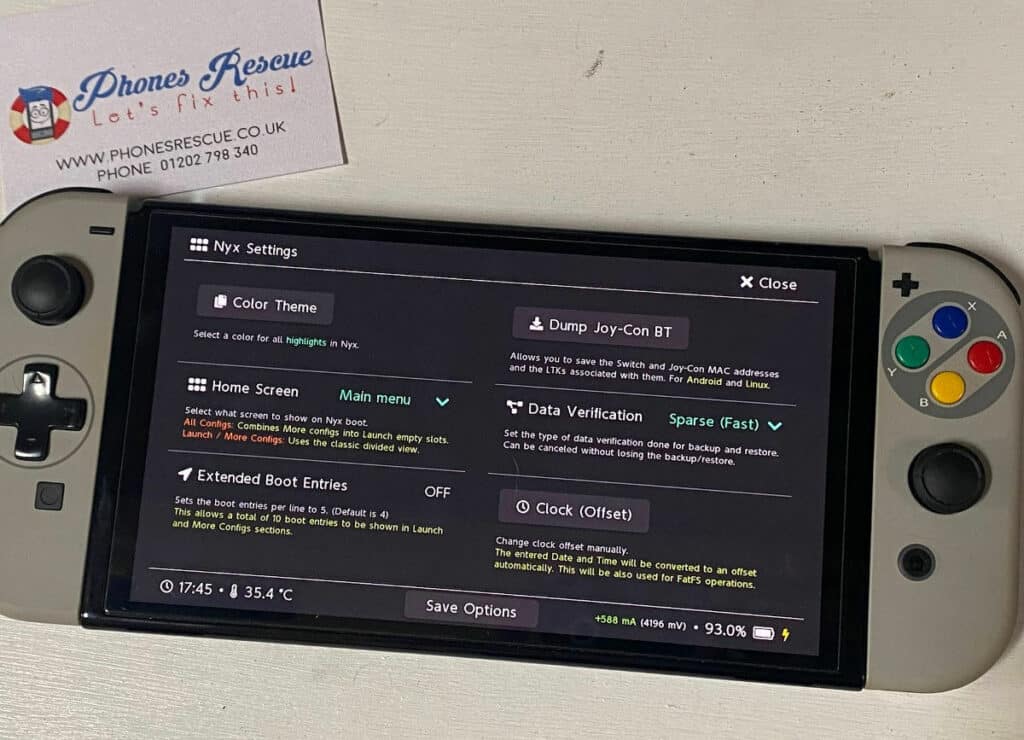
    To maximize the potential of the ModChip Instinct-NX, we integrate the necessary software, including the popular Hekate bootloader. This powerful software allows you to effortlessly manage and launch Homebrew programs, custom firmware, and other exciting applications. With Hekate, your Nintendo Switch OLED becomes a gateway to a vibrant ecosystem of possibilities.

    Eliminating the “Failed to Open payload.bin” Error

    One of the common hurdles that Nintendo Switch OLED owners face is encountering the frustrating “Failed to open payload.bin” error. At Phones Rescue, we’ve got you covered. Our installation process includes resolving this issue, and ensuring that your console functions flawlessly without any hiccups. Say goodbye to error messages and hello to a smooth gaming experience.

    Conclusion

    ModChip Instinct-NX for Nintendo Switch OLED is a game-changer, allowing you to unleash the full potential of your console. Explore the exciting world of Homebrew programs, customize your gaming experience, and push the boundaries of what your Nintendo Switch OLED can do. Trust our experienced technicians to install the ModChip with precision, providing you with a seamless and error-free experience. Embrace the endless possibilities today with Phones Rescue!

    Remember to visit our website or contact our support team for more information on how you can elevate your Nintendo Switch OLED gaming experience with the ModChip Instinct-NX. Let Phones Rescue be your partner in unlocking a world of the limitless potential for your console.

  • How to prepare your computer and laptop for summer?

    How to prepare your computer and laptop for summer?

    How to prepare your computer and laptop for summer?

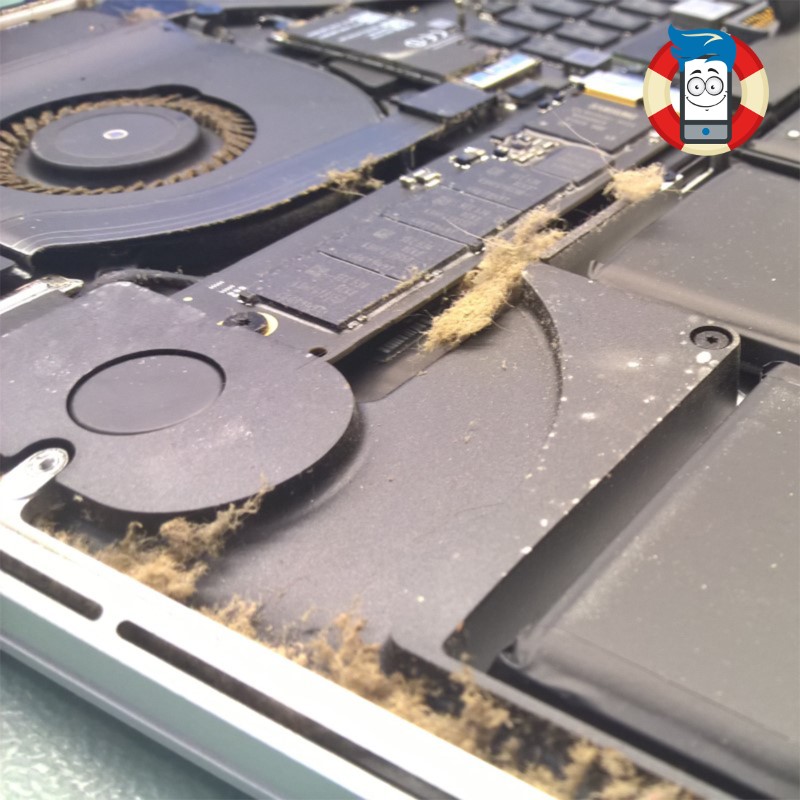
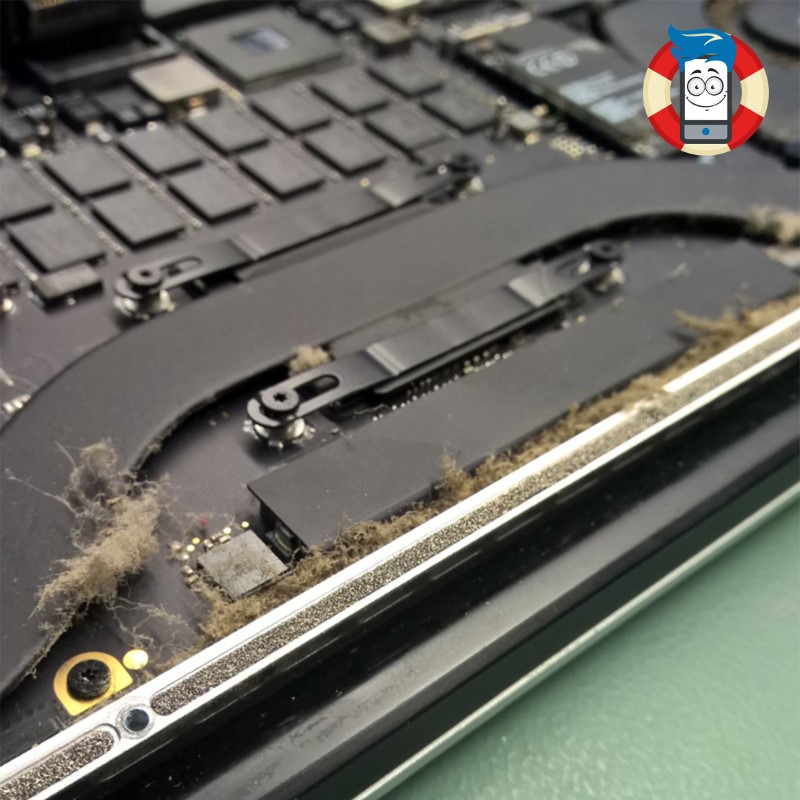
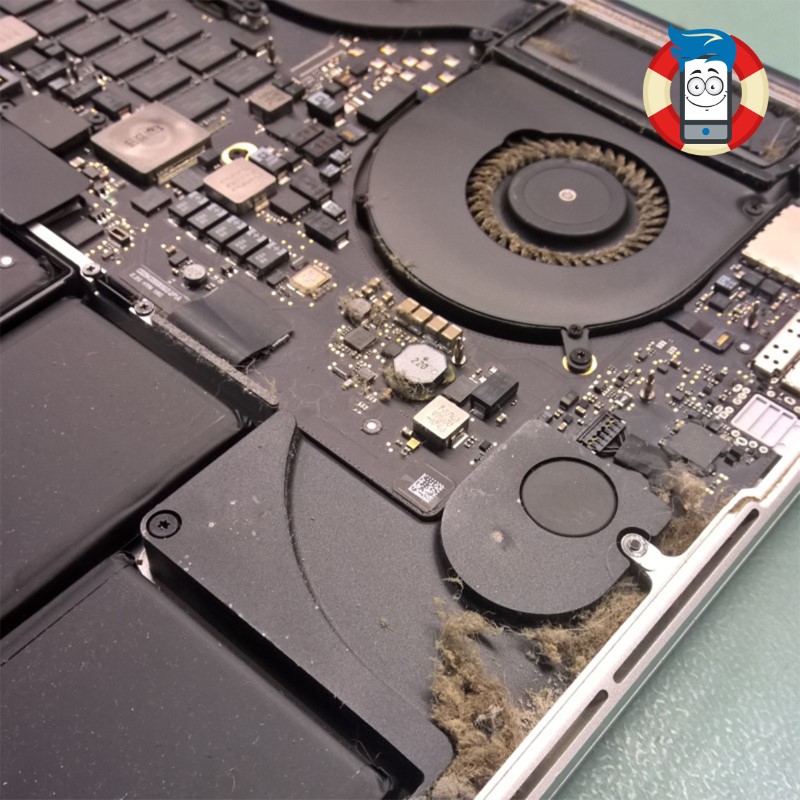
    Is your laptop’s fan exhibiting increased noise levels recently? Over prolonged usage periods, laptops accumulate a significant amount of dust internally. Without proper ventilation, the compact nature of laptop casings and the utilization of small fans and radiators can impede effective heat dissipation. When dust accumulates within the vents, it poses a potential disaster. This can severely damage the graphics system, necessitating costly repairs.

    Furthermore, elevated temperatures in the processor and graphics system can cause the laptop’s internal temperature to rise to a point where memory chips may experience data distortion, leading to errors in reading and writing data on the hard drive. It’s important to note that high temperatures also risk the hard drive’s health, as operating above 60 °C significantly increases the likelihood of imminent failure. Can you afford to lose all the precious photos, videos, and documents stored on your hard drive?

    If you have observed a noticeable increase in the frequency and volume of your laptop’s fan activity, it may be prudent to consider a comprehensive internal cleaning.

    Cooling improvement

    Can it really be that bad?

    Indeed, the consequences of inadequate laptop cooling can be quite severe. To understand why such issues arise, it is essential to delve into the intricacies of laptop cooling design. A laptop’s cooling system is engineered to maintain a consistent air circulation flow. Typically, air intake occurs from one side of the laptop case, often from the bottom, where an operational fan draws in the surrounding air. Through a process known as convection, this air then moves through the heat sink lobes, effectively dissipating heat before being expelled from the laptop.

    However, when we inadvertently place our laptops on carpets or bedding, many problems can arise. The very act of doing so introduces dust particles and small fragments of material into the equation. These particles are effortlessly sucked into the laptop through the ventilation holes, clogging the air intake and the radiator. Consequently, this impedes the cooling process, leading to suboptimal temperature regulation within the laptop.

    The accumulation of dust and debris within the laptop’s cooling system can have far-reaching consequences. Firstly, the compromised airflow obstructs the efficient dissipation of heat, causing temperatures to rise. This high heat can strain various components, particularly the graphics system. Over time, these increased temperatures can lead to severe damage, necessitating expensive repairs to rectify the compromised functionality.

    Furthermore, the escalated temperature within the laptop can harm the performance and longevity of the hard drive. Operating at temperatures exceeding 60 °C can increase wear and tear, substantially raising the risk of data corruption and potential hard drive failure. The implications of such an event extend beyond mere inconvenience, as the loss of cherished photos, videos, and important documents stored on the hard drive can be devastating.

    To mitigate these risks and maintain the optimal performance of your laptop, it is crucial to adopt proper practices in ensuring adequate airflow and cooling. Avoid placing the laptop on soft surfaces such as carpets or bedding, as they act as dust magnets and impede ventilation. Instead, opt for flat and solid surfaces that allow for unobstructed airflow. Additionally, periodic cleaning of the laptop’s ventilation holes and heat sink is highly recommended. This can be accomplished through gentle vacuuming or compressed air, effectively removing accumulated dust and debris and restoring optimal airflow.

    Maintaining a proactive approach to laptop cooling and adhering to these preventative measures can safeguard your device from the detrimental effects of dust accumulation and subpar cooling. Your laptop’s longevity and performance will be preserved, ensuring a seamless computing experience while safeguarding your valuable data.

    In conclusion, recognizing the importance of laptop cooling and taking the necessary steps to maintain it can spare you from potential hardware damage, costly repairs, and the heartache of losing irreplaceable digital assets. Embrace a proactive stance toward laptop maintenance and cooling, and you’ll reap the rewards of a reliable and efficient computing companion for years.

    Professional preparation of your laptop for the hot summer

    Cooling improvement

    At Phones Rescue, we take great pride in providing comprehensive and professional solutions to address the specific needs of your computer. In our commitment to ensuring optimal performance and longevity, we offer a range of specialized services that go beyond mere cleaning.

    When you bring your computer to Phones Rescue for internal cleaning, our highly skilled technicians will meticulously remove accumulated dust and debris from the intricate components. We will disassemble your computer with utmost care and precision, gaining access to the internal regions prone to dust accumulation. Using industry-leading tools and techniques, we will eliminate every trace of debris, leaving your computer’s internals immaculately clean.

    But our dedication to excellence doesn’t end there. We understand that effective heat dissipation is crucial for maintaining the health of your computer’s vital components. As part of our comprehensive service, our technicians will apply fresh thermal paste to the processor and graphics chip. This critical step ensures optimal thermal conductivity, allowing heat to be efficiently transferred away from these sensitive components. By applying high-quality thermal paste, we enhance the cooling capabilities of your computer, mitigating the risk of overheating and prolonging the lifespan of your hardware.

    In addition to our internal cleaning and thermal paste application, we go the extra mile by offering a complimentary check of your hard drive’s condition. We understand your hard drive’s critical role in storing valuable data, from cherished memories to essential files. Our knowledgeable technicians will thoroughly examine your hard drive, assessing its health and performance. By detecting any potential issues or signs of imminent failure, we empower you to take proactive measures to safeguard your data. This complimentary service provides protection, ensuring you are not caught off guard by an unexpected hard drive failure.

    At Phones Rescue, we believe in providing a holistic approach to computer maintenance and care. Our commitment to delivering exceptional service extends beyond cleaning your computer’s internals. We aim to equip you with the knowledge and assurance to make informed decisions regarding your device’s well-being.

    By entrusting your computer to Phones Rescue, you can rest assured that our skilled technicians will perform a thorough internal cleaning, apply fresh thermal paste to crucial components, and conduct a complimentary check of your hard drive’s condition. Our unwavering dedication to professionalism and customer satisfaction ensures that your computer receives the highest standard of care.

    Don’t leave the health and performance of your computer to chance. Visit Phones Rescue today and experience the comprehensive services and expertise that have made us a trusted name in the industry. Let us restore your computer to its optimal state, empowering you to enjoy the seamless performance, enhanced longevity, and peace of mind knowing that your data is protected.

    5 ways to improve laptop cooling​

    1. Ensure proper airflow: One of the most effective ways to enhance laptop cooling is to ensure adequate airflow. Avoid placing the laptop on soft surfaces, such as carpets or bedding, which can block ventilation. Instead, use a hard, flat surface that allows for unrestricted airflow.

    2. Use a laptop cooling pad: Investing in a quality laptop cooling pad can significantly improve cooling performance. These pads typically feature built-in fans that help increase airflow around the laptop, keeping temperatures in check. Choose a cooling pad that matches your laptop size for optimal effectiveness.

    3. Clean the vents and fans regularly: Dust and debris can accumulate in the vents and fans of your laptop, hindering proper airflow and heat dissipation. Regularly cleaning these areas with compressed air or a soft brush can prevent clogs and improve cooling efficiency.

    4. Elevate the laptop: Raising the laptop slightly can promote better airflow underneath the device. You can use a laptop stand or even simple household items like a book or small blocks to elevate the back of the laptop, allowing for improved heat dissipation.

    5. Optimize power settings and usage: Adjusting power settings can help reduce the strain on the laptop’s components, minimizing heat generation. Decreasing the display brightness, closing unnecessary applications, and avoiding resource-intensive tasks can all contribute to lower temperatures and improved cooling performance.

    By implementing these five strategies, you can significantly enhance laptop cooling, effectively reducing the risk of overheating and extending your device’s lifespan. Maintaining proper cooling is crucial for your laptop’s optimal performance and longevity.

  • Repair of the electric charger for the Bosch Rotak 36 LI lawn mower. AL 3640 CV D-70745.

    Repair of the electric charger for the Bosch Rotak 36 LI lawn mower. AL 3640 CV D-70745.

    Repair of the electric charger for the Bosch Rotak 36 LI lawn mower.

    The Bosch Rotak AL 3640 CV 36V D-70745 lawn mower is powerful and efficient equipment to help you maintain a beautiful and healthy lawn. However, like all electronic devices, it can experience problems and require repairs from time to time. One common issue that users may encounter is a malfunctioning charger. In this article, we will discuss the repair of the Bosch Rotak AL 3640 CV 36V D-70745 lawn mower charger, including the repair of resistors, capacitors, and transformers.

    The first step in repairing the charger is to identify the problem. In some cases, the charger may not work, while in others, it may work intermittently or produce insufficient power. Once the problem has been identified, the next step is to open up the charger and examine the internal components.

    One of the most common issues with the Bosch Rotak AL 3640 CV 36V D-70745 lawn mower charger is the failure of resistors, which can cause the charger to overheat and stop working. The faulty resistors must be identified and replaced with new ones to repair this problem.

    Repair of the AL 3640 CV D-70745 charger

    Another common issue is the failure of capacitors, which can cause the charger to produce insufficient power or fail to work altogether. The faulty capacitors must be identified and replaced with new ones to repair this problem.

    Transformers can also fail and cause problems with the charger. If the transformer is faulty, it may need to be replaced entirely.

    It is important to note that repairing the charger can be a delicate and challenging process, requiring specialized tools and expertise. Therefore, it is highly recommended that you seek the assistance of a professional technician with experience repairing electronic devices, particularly chargers.

    In conclusion, repairing the Bosch Rotak AL 3640 CV 36V D-70745 lawn mower charger involves identifying and replacing faulty resistors, capacitors, and transformers. While it is possible to repair the charger yourself, it is recommended that you seek the assistance of a professional technician for the best results. With proper care and maintenance, your Bosch Rotak AL 3640 CV 36V D-70745 lawn mower charger can provide many years of reliable service.

    If you have a problem with your Bosch Rotak lawn mower, please get in touch with Phones Rescue, and we will help you.

    Repair of the electric charger for the Bosch Rotak 36 LI lawn mower. AL 3640 CV D-70745.