Author: Andrzej Majewski

  • MacBook Air 13-inch Early 2015 A1466 repair

    MacBook Air 13-inch Early 2015 A1466 repair

    MacBook Air A1466 Early 2015 repair
    MacBook Air 2015 repair

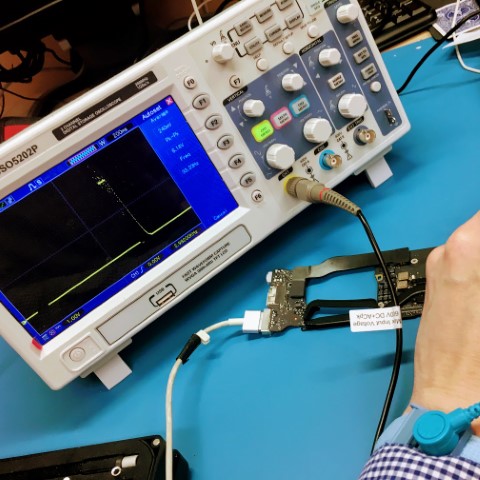
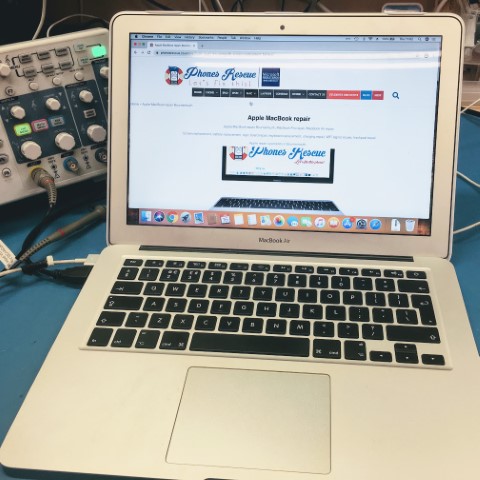
    Our line of work at Phones Rescue often comes across unique and intriguing cases that challenge our technical expertise. Recently, a MacBook arrived at our doorstep, presenting us with an intriguing puzzle to solve. This particular MacBook, unfortunately, refused to power on, leaving its owner in a state of frustration and worry. As we delved deeper into the issue, it became evident that the culprit behind this malfunction was none other than a deadly encounter with liquid.

    Liquid spills can have catastrophic consequences for electronic devices, permeating delicate components and wreaking havoc on their functionality. In the case of this MacBook, the liquid had managed to infiltrate its internal circuitry, causing certain voltage levels to go haywire. Such a situation is undoubtedly a cause for concern, as variable voltages can lead to many problems, from erratic behaviour to complete system failure.

    At Phones Rescue, we pride ourselves on tackling even the most challenging cases, and this MacBook was no exception. Armed with a wealth of experience and an unwavering commitment to excellence, our team of skilled technicians set out to restore this MacBook to its former glory—the first step in our meticulous repair process involved subjecting the device to a professional ultrasonic cleaning procedure.

    Ultrasonic cleaning is a cutting-edge technique that employs high-frequency sound waves to remove contaminants from delicate surfaces gently. We could dislodge and eliminate any traces of liquid residue by immersing the affected components in a specialized cleaning solution and subjecting them to precisely calibrated ultrasonic vibrations. This thorough cleaning ensures that every nook and cranny of the MacBook’s internal circuitry is pristine and free from the corrosive effects of liquid damage.

    However, the road to complete restoration didn’t end there. Our team also identified and replaced the damaged parts that had fallen victim to the liquid’s corrosive properties. Through accurate troubleshooting and diagnostic procedures, we identified the components affected by the liquid infiltration and swiftly procured suitable replacements. The MacBook showed promising signs of life again, with the damaged parts expertly swapped out.

    After the intensive ultrasonic cleaning and the meticulous replacement of damaged components, it was time to put the MacBook to the test. We powered it on with a sense of anticipation. To our delight, the once-lifeless device sprang back to life, exhibiting a renewed vigour and functionality that could rival that of a brand-new MacBook. It was a moment of triumph for our team and the MacBook’s relieved owner as we had successfully revived a seemingly irreparable device.

    At Phones Rescue, we understand that your MacBook is more than just a device; it’s an indispensable tool that holds your memories, work, and creative endeavours. That’s why we approach every repair with utmost care and dedication, sparing no effort to ensure that your device receives the meticulous attention it deserves. Our expertise, coupled with the advanced techniques and cutting-edge equipment at our disposal, enable us to breathe new life into damaged MacBooks, allowing them to once again serve as reliable companions in your daily endeavours.

    So, if you face a similar predicament with your MacBook, rest assured that Phones Rescue is ready to assist you. From liquid damage to complex technical issues, our team is equipped to handle various challenges. Trust us to apply our expertise, perform the necessary repairs, and restore your MacBook to its optimal functionality. Experience the difference that professional care can make at Phones Rescue, where every device is given a second chance to shine.

    MacBook Air repair price list

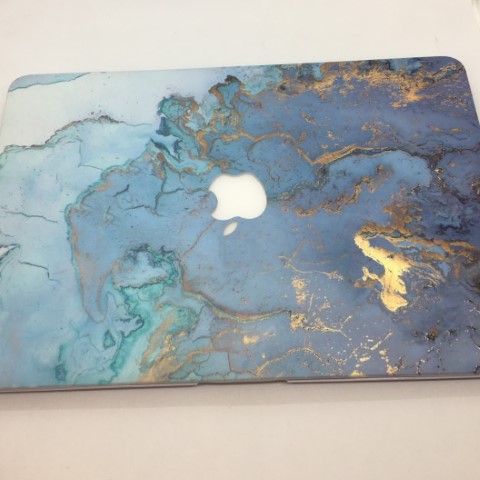
    By the way, the client had a very nice MacBook case 🙂



  • Gboard crashing issues – Plague of damaged Android devices

    Gboard crashing issues – Plague of damaged Android devices

    Gboard crashing issues – Plague of damaged Android devices

    Gboard error

    In the fast-paced world of technology, even the most well-established and reliable applications can encounter unforeseen issues. Recently, a wave of concern rippled through the Android community as Google released an update to their highly acclaimed Gboard keyboard application. Known for its seamless functionality and impressive features, Gboard has become an indispensable tool for countless Android users worldwide. However, this latest update has unfortunately introduced an unexpected hurdle, as some devices began experiencing crashes and, in some extreme cases, even locked users out of their cherished Android devices.

    Gboard’s allure lies in its ability to provide a smooth and intuitive typing experience, effortlessly adapting to the needs and preferences of its users. The application’s impressive range of features, from predictive text suggestions to swipe typing, has undoubtedly earned it a reputation as an amazing keyboard solution for Android. However, the recent update has caused a hiccup in this otherwise stellar performance, leaving users grappling with crashes and system lockouts that disrupt their daily routines.

    Understanding the frustration and inconvenience faced by affected users, Phones Rescue is here to offer swift and reliable solutions to alleviate the Gboard-related troubles plaguing your Android device. With our team of seasoned professionals and a deep understanding of the intricacies of Android systems, we are well-equipped to tackle the challenges posed by this issue.

    At Phones Rescue, our priority is to restore your device to its optimal functionality promptly. When you bring your device to us, our knowledgeable technicians will employ a comprehensive approach to identify and rectify the Gboard crashing issue. With an in-depth analysis of your device’s software and meticulous troubleshooting, we will isolate the root cause of the problem and apply the necessary fixes to ensure a seamless and hassle-free experience with Gboard once again.

    Rest assured that your device is in capable hands at Phones Rescue. Our technicians stay up-to-date with the latest advancements in the Android ecosystem and possess the expertise required to navigate the intricacies of system updates and application compatibility. By leveraging our technical prowess and utilizing industry-leading tools, we can swiftly address the Gboard-related issues that have affected your Android device.

    We understand the importance of a keyboard application that seamlessly integrates with your Android experience, allowing you to communicate, express yourself, and accomplish tasks with ease. That’s why we strive to provide efficient and reliable solutions to ensure that you can enjoy the full potential of Gboard without any interruptions. Our commitment to excellence is exemplified by our dedication to resolving your device’s crashing issues promptly, minimizing any disruptions to your day-to-day activities.

    If you find yourself grappling with the Gboard crashing issue or facing a lockout situation on your Android device, Phones Rescue is your go-to destination for a prompt and effective resolution. Don’t let this temporary setback deter you from experiencing the full capabilities of Gboard. Visit us today, and let our expert technicians restore your device to its optimal state, ensuring that you can once again revel in the seamless typing experience that Gboard is renowned for. At Phones Rescue, we are here to alleviate your concerns and get you back to enjoying the wonders of your Android device without skipping a beat.

  • Alienware 17 R5 – A real beast

    Alienware 17 R5 – A real beast

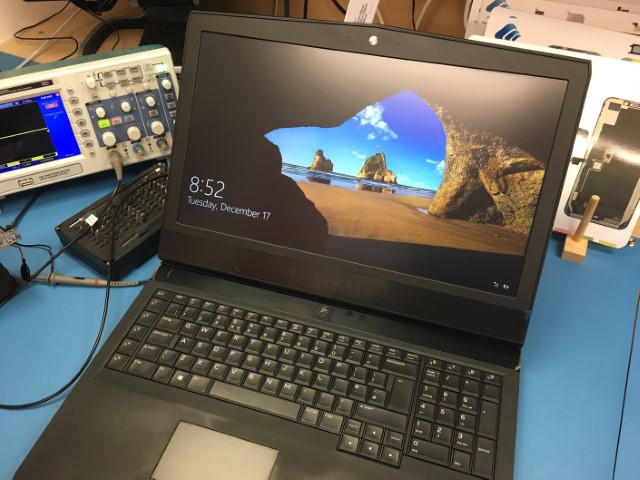
    Dell Alienware 17 R5 – A real beast

    Dell Alienware 17 R5

    Regarding computing power, few components can match the impressive capabilities of the Intel i7 processor, Nvidia GFX graphics card, and SSD + HDD storage combination. These components are commonly found in high-end laptops designed to provide users with a seamless and efficient computing experience.

    The Intel i7 processor is a quad-core processor with hyper-threading technology, allowing it to process up to 8 threads simultaneously. This makes it ideal for tasks that require a lot of processing power, such as video editing, 3D modelling, and gaming. In addition, the Nvidia GFX graphics card is a dedicated graphics processing unit (GPU) designed to handle demanding graphics-intensive tasks such as gaming, video editing, and rendering.

    Combining an SSD and HDD provides users with the best of both worlds. The SSD provides lightning-fast boot and application load times, while the HDD provides ample storage space for files and documents. This combination is perfect for users who need both speed and storage.

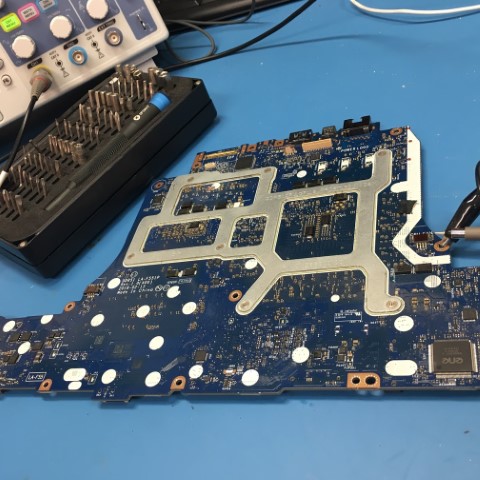
    However, even the most powerful laptop components can’t function properly if the laptop is in poor condition. At Phones Rescue, we often receive laptops that have been poorly repaired in the past or have been neglected for an extended period. Our skilled technicians have years of experience repairing and refurbishing laptops, including those with complex hardware configurations like the one described above.

    Dell Alienware 17 R5 main board

    We understand that every laptop repair project is unique and requires a tailored approach. That’s why we thoroughly diagnose the laptop’s hardware and software components to identify any underlying issues that may be affecting its performance. Once we’ve identified the problem, we work quickly and efficiently to repair or replace any faulty components, ensuring that the laptop is restored to optimal performance.

    In the case of the laptop described above, Phones Rescue could revive it despite its deplorable condition. Our technicians could repair any damage caused by the previous repair attempt and restore the laptop to full working condition. We take pride in our work and stand behind every repair we perform, offering a warranty on all our services.

    In conclusion, the Intel i7 processor, Nvidia GFX graphics card, and SSD + HDD storage combination are impressive laptop components providing exceptional computing power and performance. However, even the most powerful components can’t function properly if the laptop is in poor condition. At Phones Rescue, we have the experience and expertise to repair and refurbish laptops of all makes and models, ensuring that they are restored to optimal performance. Contact us today to learn more about our laptop repair services.

    Fixed
    Alienware laptop

  • Jak przygotować komputer do lata?

    Jak przygotować komputer do lata?

    Jak przygotować komputer do lata? 1

    Czy wentylator mojego laptopa nie pracuje ostatnio zbyt głośno?

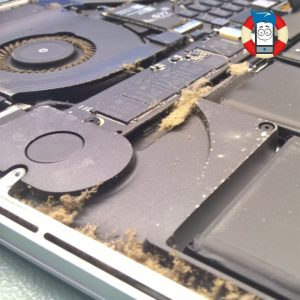
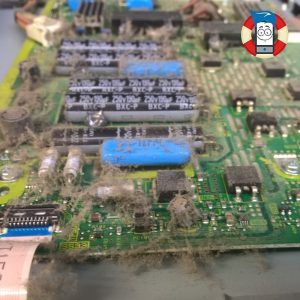
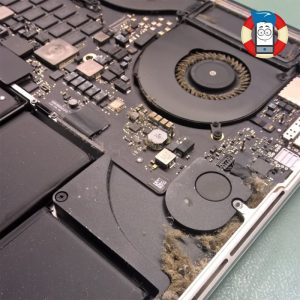
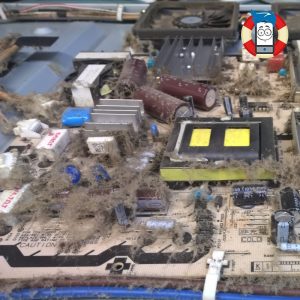
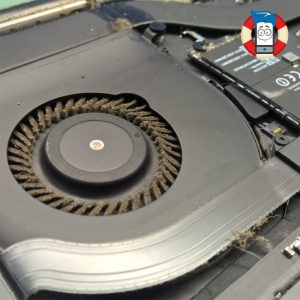
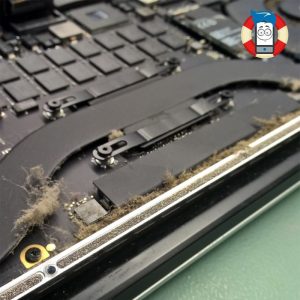
    Przez miesiące i lata pracy wewnątrz laptopa potrafi zgromadzić się spora ilość kurzu. I bez niego większość laptopów z trudem radzi sobie z odprowadzaniem ciepła z ciasnej obudowy, przy pomocy malutkiego wiatraczka i jeszcze mniejszego radiatora. Gdy dodatkowo kurz zalepi otwory wentylacyjne, to nieszczęście gotowe. W skrajnych przypadkach może to grozić poważnym uszkodzeniem układu graficznego i kosztowną naprawą. Poza tym wysoka temperatura procesora i układu grafiki może na tyle mocno podnieść temperaturę wewnątrz laptopa, że kości pamięci mogą zacząć przekłamywać dane, co skutkuje błędami odczytu i zapisu na dysku twardym. Zresztą sam dysk twardy również nie lubi wysokich temperatur – praca w temperaturze wyższej niż 60°C, to proszenie się o kłopoty i duże ryzyko jego rychłej śmierci. Czy możecie pozwolić sobie na utratę wszystkich zdjęć, filmów i dokumentów na nim zapisanych?

    Jeśli zauważasz, że wentylator w laptopie włącza się znacznie częściej i pracuje znacznie głośniej niż dawniej, może to czas na gruntowne odkurzenie laptopa wewnątrz.

     
    Jak przygotować komputer do lata? 2

    Czy naprawdę może być aż tak źle?

    Tak, może być aż tak źle. Dlaczego tak się dzieje? Chłodzenie laptopa jest tak skontruowane, że konieczna jest nieustanna cyrkulacja powietrza. Z jednej strony obudowy (zazwyczaj od spodu) powietrze jest zasysane przez pracujący wentylator i zjawisko konwekcji do wnętrza laptopa, by następnie przepłynąć przez płaty radiatora i zostać wypchnięte na zewnątrz. Jeśli postawimy komputer na dywanie lub w łóżku na pościeli, wówczas wszystkie drobiny kurzu i kawałki materiału zostają wessane do wewnątrz i skutecznie zapychają otwory wentylacyjne i sam radiator, co znacząco pogarsza chłodzenie.

     
    Jak przygotować komputer do lata? 3

    Profesjonalne przygotowanie Twojego laptopa do upalnego lata

    Phones Rescue profesjonalnie wyczyści Twój komputer od wewnątrz, zastosujemy nową pastę termoprzewodzącą na procesorze i układzie graficznym, a także na życzenie nieodpłatnie sprawdzimy stan Twojego dysku twardego, aby nie zaskoczyła Cię jego niespodziewana awaria.

     
    Jak przygotować komputer do lata? 4Jak przygotować komputer do lata? 5Jak przygotować komputer do lata? 6

  • Free faulty battery replacement programme by Apple MacBook Pro

    Free faulty battery replacement programme by Apple MacBook Pro

    Apple has started a free faulty battery replacement programme.

    Apple has started a free faulty battery replacement programme in some of the 13inches MacBook Pros (without Touch Bar) because it has occurred that built in them batteries are faulty.

    MacBook Pro Apple repair Bournemouth

    Faulty batteries can be fitted in MacBooks produced between October 2016 and October 2017.

    Does my MacBook qualify for the free faulty battery replacement programme?

    On a particular Apple page, fill in the serial number of your MacBook in the space provided to be able to check if there is fitted in faulty battery in your laptop.

    If your laptop qualifies for the free faulty battery replacement programme, but you have paid for a battery exchange, Apple offers a refund of the payment.