Category: Tips & Tricks

  • How to prepare your computer and laptop for summer?

    How to prepare your computer and laptop for summer?

    How to prepare your computer and laptop for summer?

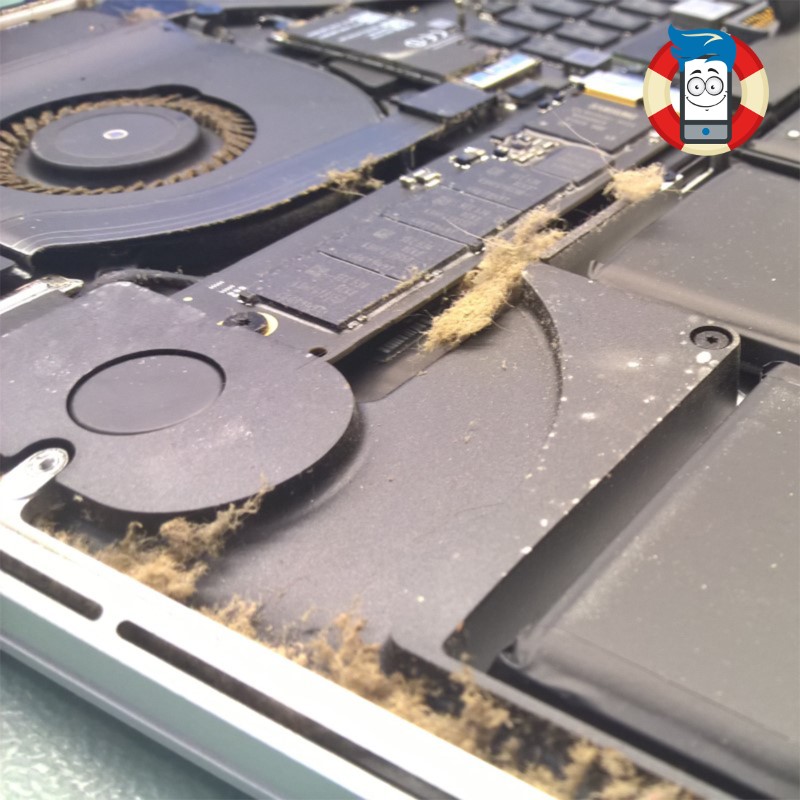
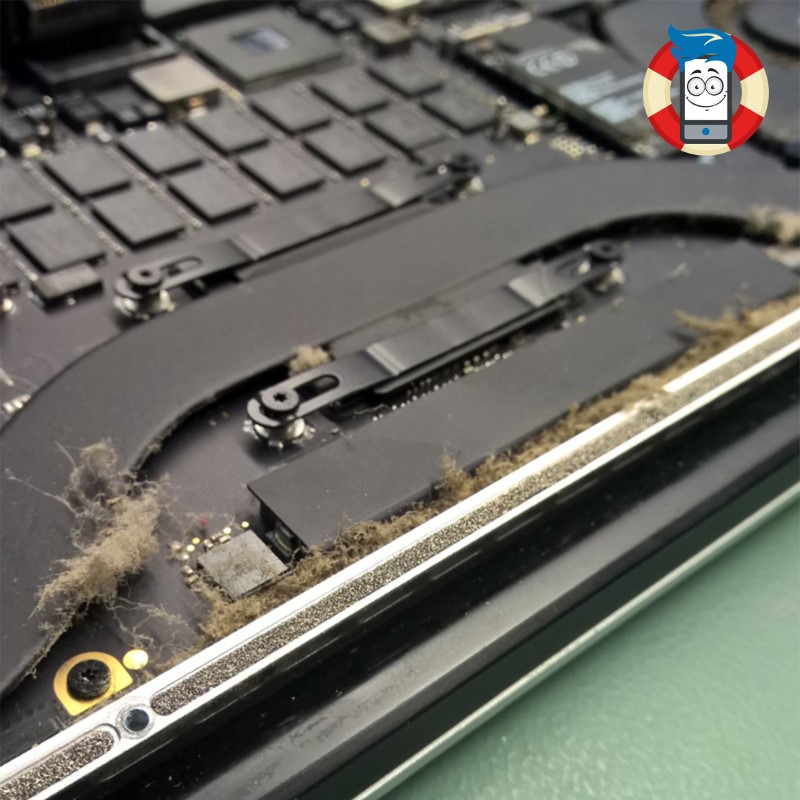
    Is your laptop’s fan exhibiting increased noise levels recently? Over prolonged usage periods, laptops accumulate a significant amount of dust internally. Without proper ventilation, the compact nature of laptop casings and the utilization of small fans and radiators can impede effective heat dissipation. When dust accumulates within the vents, it poses a potential disaster. This can severely damage the graphics system, necessitating costly repairs.

    Furthermore, elevated temperatures in the processor and graphics system can cause the laptop’s internal temperature to rise to a point where memory chips may experience data distortion, leading to errors in reading and writing data on the hard drive. It’s important to note that high temperatures also risk the hard drive’s health, as operating above 60 °C significantly increases the likelihood of imminent failure. Can you afford to lose all the precious photos, videos, and documents stored on your hard drive?

    If you have observed a noticeable increase in the frequency and volume of your laptop’s fan activity, it may be prudent to consider a comprehensive internal cleaning.
    Cooling improvement

    Can it really be that bad?

    Indeed, the consequences of inadequate laptop cooling can be quite severe. To understand why such issues arise, it is essential to delve into the intricacies of laptop cooling design. A laptop’s cooling system is engineered to maintain a consistent air circulation flow. Typically, air intake occurs from one side of the laptop case, often from the bottom, where an operational fan draws in the surrounding air. Through a process known as convection, this air then moves through the heat sink lobes, effectively dissipating heat before being expelled from the laptop.

    However, when we inadvertently place our laptops on carpets or bedding, many problems can arise. The very act of doing so introduces dust particles and small fragments of material into the equation. These particles are effortlessly sucked into the laptop through the ventilation holes, clogging the air intake and the radiator. Consequently, this impedes the cooling process, leading to suboptimal temperature regulation within the laptop.

    The accumulation of dust and debris within the laptop’s cooling system can have far-reaching consequences. Firstly, the compromised airflow obstructs the efficient dissipation of heat, causing temperatures to rise. This high heat can strain various components, particularly the graphics system. Over time, these increased temperatures can lead to severe damage, necessitating expensive repairs to rectify the compromised functionality.

    Furthermore, the escalated temperature within the laptop can harm the performance and longevity of the hard drive. Operating at temperatures exceeding 60 °C can increase wear and tear, substantially raising the risk of data corruption and potential hard drive failure. The implications of such an event extend beyond mere inconvenience, as the loss of cherished photos, videos, and important documents stored on the hard drive can be devastating.

    To mitigate these risks and maintain the optimal performance of your laptop, it is crucial to adopt proper practices in ensuring adequate airflow and cooling. Avoid placing the laptop on soft surfaces such as carpets or bedding, as they act as dust magnets and impede ventilation. Instead, opt for flat and solid surfaces that allow for unobstructed airflow. Additionally, periodic cleaning of the laptop’s ventilation holes and heat sink is highly recommended. This can be accomplished through gentle vacuuming or compressed air, effectively removing accumulated dust and debris and restoring optimal airflow.

    Maintaining a proactive approach to laptop cooling and adhering to these preventative measures can safeguard your device from the detrimental effects of dust accumulation and subpar cooling. Your laptop’s longevity and performance will be preserved, ensuring a seamless computing experience while safeguarding your valuable data.

    In conclusion, recognizing the importance of laptop cooling and taking the necessary steps to maintain it can spare you from potential hardware damage, costly repairs, and the heartache of losing irreplaceable digital assets. Embrace a proactive stance toward laptop maintenance and cooling, and you’ll reap the rewards of a reliable and efficient computing companion for years.

    Professional preparation of your laptop for the hot summer
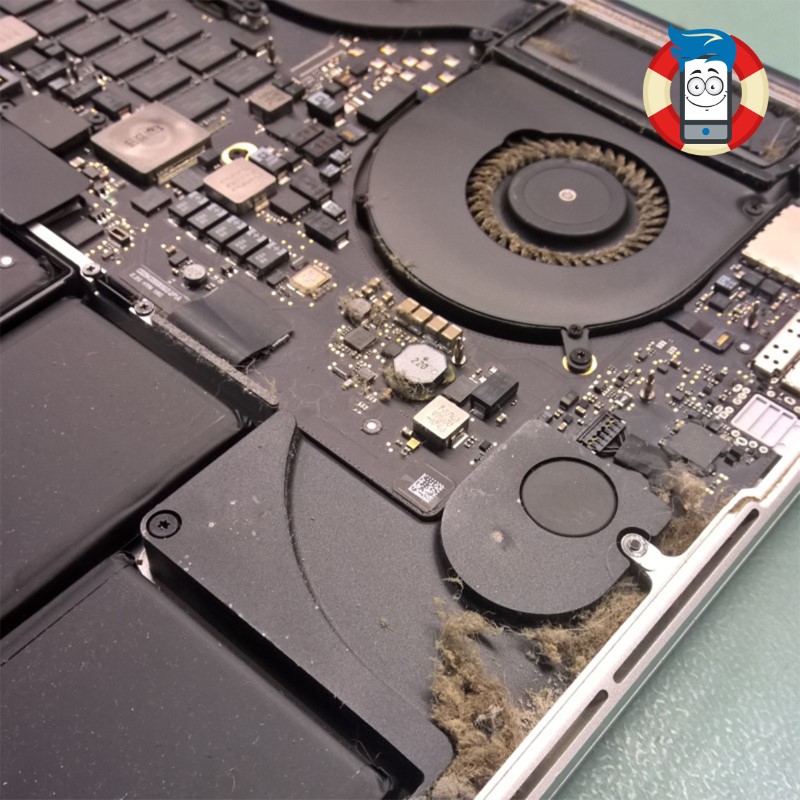
    Cooling improvement

    At Phones Rescue, we take great pride in providing comprehensive and professional solutions to address the specific needs of your computer. In our commitment to ensuring optimal performance and longevity, we offer a range of specialized services that go beyond mere cleaning.

    When you bring your computer to Phones Rescue for internal cleaning, our highly skilled technicians will meticulously remove accumulated dust and debris from the intricate components. We will disassemble your computer with utmost care and precision, gaining access to the internal regions prone to dust accumulation. Using industry-leading tools and techniques, we will eliminate every trace of debris, leaving your computer’s internals immaculately clean.

    But our dedication to excellence doesn’t end there. We understand that effective heat dissipation is crucial for maintaining the health of your computer’s vital components. As part of our comprehensive service, our technicians will apply fresh thermal paste to the processor and graphics chip. This critical step ensures optimal thermal conductivity, allowing heat to be efficiently transferred away from these sensitive components. By applying high-quality thermal paste, we enhance the cooling capabilities of your computer, mitigating the risk of overheating and prolonging the lifespan of your hardware.

    In addition to our internal cleaning and thermal paste application, we go the extra mile by offering a complimentary check of your hard drive’s condition. We understand your hard drive’s critical role in storing valuable data, from cherished memories to essential files. Our knowledgeable technicians will thoroughly examine your hard drive, assessing its health and performance. By detecting any potential issues or signs of imminent failure, we empower you to take proactive measures to safeguard your data. This complimentary service provides protection, ensuring you are not caught off guard by an unexpected hard drive failure.

    At Phones Rescue, we believe in providing a holistic approach to computer maintenance and care. Our commitment to delivering exceptional service extends beyond cleaning your computer’s internals. We aim to equip you with the knowledge and assurance to make informed decisions regarding your device’s well-being.

    By entrusting your computer to Phones Rescue, you can rest assured that our skilled technicians will perform a thorough internal cleaning, apply fresh thermal paste to crucial components, and conduct a complimentary check of your hard drive’s condition. Our unwavering dedication to professionalism and customer satisfaction ensures that your computer receives the highest standard of care.

    Don’t leave the health and performance of your computer to chance. Visit Phones Rescue today and experience the comprehensive services and expertise that have made us a trusted name in the industry. Let us restore your computer to its optimal state, empowering you to enjoy the seamless performance, enhanced longevity, and peace of mind knowing that your data is protected.

    5 ways to improve laptop cooling​

    1. Ensure proper airflow: One of the most effective ways to enhance laptop cooling is to ensure adequate airflow. Avoid placing the laptop on soft surfaces, such as carpets or bedding, which can block ventilation. Instead, use a hard, flat surface that allows for unrestricted airflow.

    2. Use a laptop cooling pad: Investing in a quality laptop cooling pad can significantly improve cooling performance. These pads typically feature built-in fans that help increase airflow around the laptop, keeping temperatures in check. Choose a cooling pad that matches your laptop size for optimal effectiveness.

    3. Clean the vents and fans regularly: Dust and debris can accumulate in the vents and fans of your laptop, hindering proper airflow and heat dissipation. Regularly cleaning these areas with compressed air or a soft brush can prevent clogs and improve cooling efficiency.

    4. Elevate the laptop: Raising the laptop slightly can promote better airflow underneath the device. You can use a laptop stand or even simple household items like a book or small blocks to elevate the back of the laptop, allowing for improved heat dissipation.

    5. Optimize power settings and usage: Adjusting power settings can help reduce the strain on the laptop’s components, minimizing heat generation. Decreasing the display brightness, closing unnecessary applications, and avoiding resource-intensive tasks can all contribute to lower temperatures and improved cooling performance.

    By implementing these five strategies, you can significantly enhance laptop cooling, effectively reducing the risk of overheating and extending your device’s lifespan. Maintaining proper cooling is crucial for your laptop’s optimal performance and longevity.

  • Tablet Charging Port Repair: Everything You Need to Know Before Choosing a Service Provider

    Tablet Charging Port Repair: Everything You Need to Know Before Choosing a Service Provider

    Tablet Charging Port Repair: Everything You Need to Know Before Choosing a Service Provider

    Tablets have become an integral part of our daily lives. We rely heavily on these devices, from work to entertainment, to keep us connected and productive. But what happens when your tablet’s charging port starts to malfunction? It can be frustrating and even debilitating, especially if you rely on your tablet for work or school. This is where the expertise of a reliable tablet charging port repair service provider comes in. But with so many options available, how do you choose the right one? 

    This article will explore everything you need to know before choosing a tablet charging port repair service provider. From common charging port issues to factors to consider when selecting a provider, we’ll equip you with the knowledge you need to make an informed decision. So, if you’re struggling with a faulty tablet charging port, keep reading to find out how to choose the right repair service provider for your needs.

    Common causes of tablet charging port damage.

    The charging port on your tablet is a critical component that allows you to recharge your battery. Unfortunately, it’s also one of the most vulnerable parts of your tablet. There are several common causes of tablet charging port damage, including:

    ### 1. Physical damage

    Physical damage is one of the most common causes of charging port damage. Dropping or accidentally stepping on your tablet can damage the charging port, making it difficult or impossible to charge your device.

    ### 2. Wear and tear

    Over time, the charging port on your tablet can become worn out. This is especially true if you’re constantly plugging and unplugging your device from the charger.

    ### 3. Dirt and debris

    Dirt and debris can accumulate in the charging port over time, making it difficult for the charging cable to connect properly. This can cause the charging port to become damaged over time.

    It’s essential to be vigilant regarding your tablet’s charging port. If you notice any signs of damage or wear and tear, it’s important to address the issue immediately.

    Signs of a damaged tablet charging port

    A damaged tablet charging port can be incredibly frustrating, especially if you rely on your device for work or school. Here are some signs that your tablet’s charging port may be damaged:

    ### 1. Difficulty charging

    The charging port may be damaged if you’re having trouble charging your tablet. You may need to wiggle the charging cable around to get it to connect properly.

    ### 2. Loose connection

    If the charging cable feels loose when plugged into your tablet, it may be a sign that the charging port is damaged.

    ### 3. Overheating

    If your tablet gets hot when you’re charging it, it could indicate the charging port is damaged. Overheating can be dangerous, so addressing the issue as soon as possible is important.

    ### 4. Battery draining quickly

    If your tablet’s battery is draining quickly, it could be a sign that the charging port is damaged. A damaged charging port can cause your tablet to drain its battery faster than normal.

    Risks of using a damaged charging port

    Using a damaged charging port can be risky for your tablet and you. Here are some of the risks of using a damaged charging port:

    ### 1. Fire hazard

    A damaged charging port can be a fire hazard. If the charging cable isn’t connecting properly, it can cause the device to overheat and potentially catch fire.

    ### 2. Short circuit

    A damaged charging port can cause a short circuit, damaging your tablet’s internal components.

    ### 3. Data loss

    If your tablet is damaged while charging, you could lose important data. This can be devastating, especially if you rely on your tablet for work or school.

    Addressing a damaged charging port as soon as possible is essential to avoid these risks.

    Should you repair or replace your tablet?

    If your tablet’s charging port is damaged, you may wonder whether you should repair or replace your device. There are several factors to consider when making this decision:

    ### 1. Cost

    Repairing a charging port is generally less expensive than replacing the entire device. However, if your tablet is very old or has other issues, replacing it may be more cost-effective.

    ### 2. Age of the device

    If your tablet is relatively new and in good condition, it may be worth repairing the charging port. However, if your device is old and has other issues, it may be time to replace it.

    ### 3. Importance of the device

    Having an available charging port is important if you rely heavily on your tablet for work or school. In this case, repairing the charging port is likely the best option.

    ### 4. Availability of parts

    If the charging port on your tablet is difficult to find or expensive to replace, it may be more cost-effective to replace the entire device.

    Consider these factors carefully when deciding whether to repair or replace your tablet.

    Choosing a tablet charging port repair service provider

    If you’ve decided to repair your tablet’s charging port, choosing a reliable repair service provider is essential. Here are some factors to consider when selecting a provider:

    ### 1. Reputation

    Look for a repair service provider with a good reputation. Check online reviews and ask for recommendations from friends and family.

    ### 2. Experience

    Choose a repair service provider with experience repairing tablets. Ask about their experience with your specific device.

    ### 3. Warranty

    Look for a repair service provider that offers a warranty on their work. This will give you peace of mind if the repair goes wrong.

    ### 4. Turnaround time

    Consider the turnaround time for the repair. If you need your tablet for work or school, you may want to choose a provider that offers same-day or next-day repairs.

    Consider these factors carefully when choosing a tablet charging port repair service provider.

    Factors to consider when choosing a repair service provider

    In addition to the factors listed above, there are several other factors to consider when choosing a tablet charging port repair service provider:

    ### 1. Price

    Compare prices from different repair service providers to ensure you’re getting a fair price for the repair.

    ### 2. Location

    Choose a repair service provider that is conveniently located. This will make it easier to drop off and pick up your device.

    ### 3. Customer service

    Look for a repair service provider that offers excellent customer service. This will ensure that you have a positive experience throughout the repair process.

    ### 4. Quality of parts

    Choose a repair service provider that uses high-quality replacement parts. This will ensure that your tablet functions properly after the repair.

    Consider these factors carefully when choosing a repair service provider for your tablet.

    Questions to ask the service provider before hiring them

    Before hiring a tablet charging port repair service provider, it’s important to ask them some questions to ensure they’re the right fit for your needs. Here are some questions to consider:

    ### 1. Do you offer a warranty on your work?

    A reputable repair service provider should offer a warranty on their work to ensure you’re satisfied with the repair.

    ### 2. How long will the repair take?

    Consider the turnaround time for the repair to ensure that it fits your schedule.

    ### 3. What is the cost of the repair?

    Compare prices from different repair service providers to ensure you’re getting a fair price for the repair.

    ### 4. What is your experience repairing tablets?

    Choose a repair service provider with experience repairing tablets, especially with your specific device.

    ### 5. What type of replacement parts do you use?

    Choose a repair service provider that uses high-quality replacement parts.

    Ask these questions carefully to ensure you hire the right repair service provider for your tablet.

    DIY vs hiring a service provider

    If you’re handy with electronics, you may be tempted to repair your tablet’s charging port. However, this can be risky if you’re not experienced with electronics repair. Here are some factors to consider when deciding whether to DIY or hire a service provider:

    ### 1. Cost

    DIY repairs may be less expensive than hiring a service provider, but they can also be risky and cause further damage to your device.

    ### 2. Experience

    If you’re experienced with electronics repair, DIY may be a good option. However, if you’re not experienced, it’s best to hire a professional.

    ### 3. Risk

    DIY repairs can be risky and may cause further damage to your device. Hiring a professional can ensure that the repair is done safely and correctly.

    Consider these factors carefully when deciding whether to DIY or hire a service provider for your tablet’s charging port repair.

    Conclusion: The importance of a functional tablet charging port and the need for timely repairs.

    In conclusion, a functional tablet charging port is essential for staying connected and productive. If your tablet’s charging port is damaged, addressing the issue immediately is important to avoid further damage or potential hazards. When choosing a tablet charging port repair service provider, consider factors such as reputation, experience, warranty, and turnaround time. Always ask questions and compare prices to ensure you get a fair deal. Remember, an available charging port is essential for getting the most out of your tablet, so don’t hesitate to seek professional repair services when needed. Please see our offer if you are looking for a trustworthy repair shop.

  • iPhone Performance Management

    iPhone Performance Management

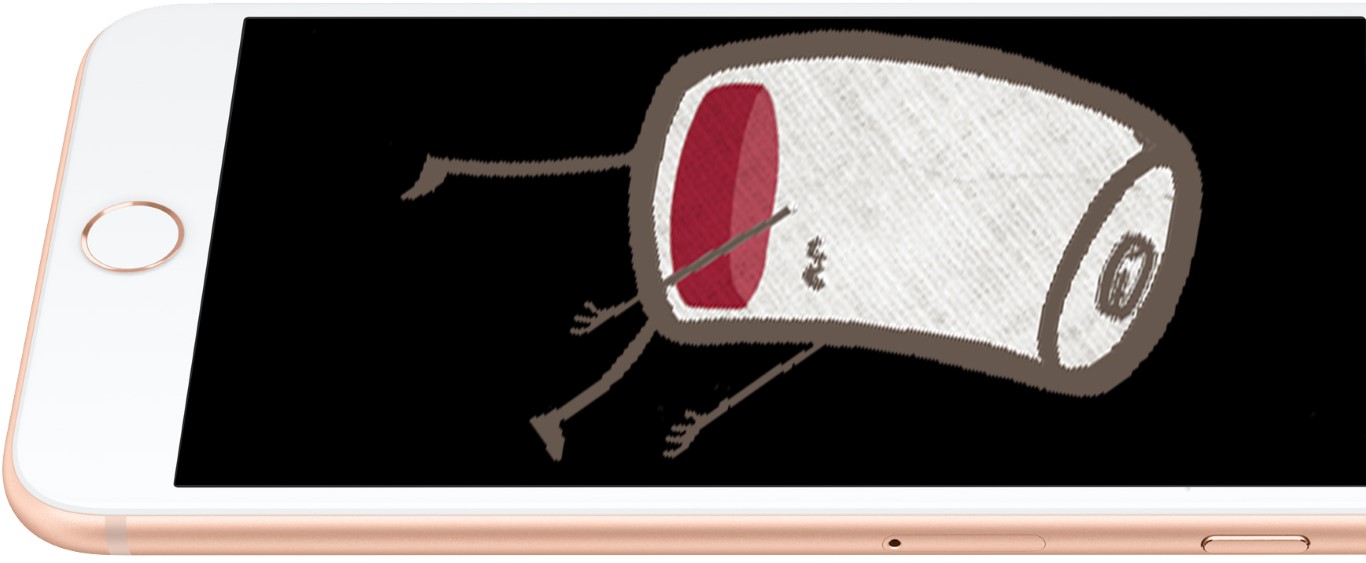
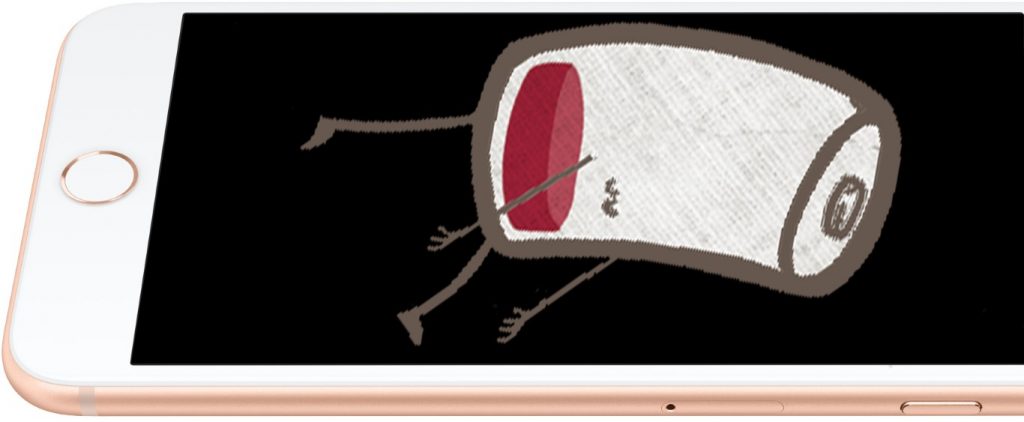
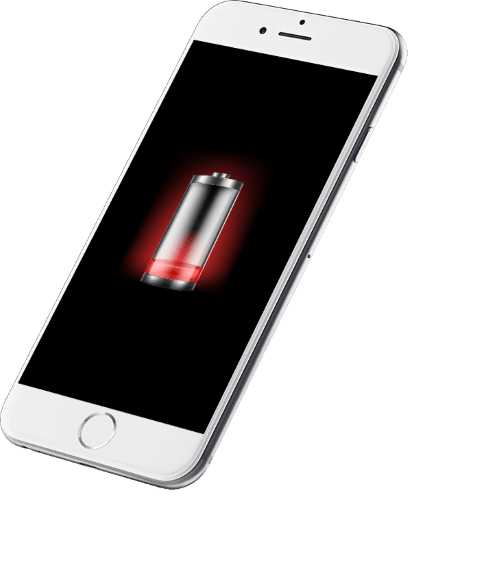
    iPhone empty battery

    iPhone Performance Management

    Battery, its health and impact on iPhone performance

    A lithium-ion battery is a complex part of your phone. The battery contains many elements inside that ensure safe charging and discharging of your phone. If the iOS operating system detects problems with the battery, it can significantly reduce the phone’s performance to prevent damage. As time and charge cycles progress, the battery capacity decreases. Then you have to charge your iPhone more and more often, and in the final life cycle of the battery, the phone suddenly starts to turn off by itself. It means it’s time to replace the battery of your phone.

    How to care for the iPhone battery

    By taking care of the battery, you will extend its service life

    Lithium-ion batteries were a major technological leap compared to older nickel-cadmium batteries. Lithium-ion batteries charge faster, last longer and have a higher power density, which ensures they last longer despite their smaller size. The batteries in the iPhone should function without problems for 1000 charge cycles. However, you should make sure that the iPhone is at least half-charged if you intend not to use it for a while. Leaving the iPhone with an empty battery will significantly shorten its lifespan. It would help if you also were very careful not to expose the iPhone to extreme temperatures. For example, in the summer, in the sun in a hot car. Something like that can drastically shorten the battery life and, in extreme cases, can cause the battery to swell and even cause a fire.

    I replaced the battery, and my iPhone performance dropped significantly after that.

    How does the battery affect the speed of the iPhone?

    iPhone Performance Management 1

    The iOS operating system constantly reads information from the battery about its temperature, state of charge and internal impedance. If the new battery is of poor quality, it may not be sending iOS information or sending incorrect data. IOS then slows down the CPU speed to prevent overheating of the battery. Therefore, it is essential to use high-quality batteries and check that the battery communicates correctly with the iOS operating system. At Phones Rescue, we use the highest quality OEM batteries to ensure that your iPhone will function properly after the battery replacement.

    Symptoms of reduced performance

    When your iPhone’s battery starts to die, or if you have a poor-quality battery in your iPhone, it can severely affect the performance of your entire phone.

    • Your applications take noticeably longer to run.
    • Background applications restart after waking up.
    • Lower frame rate as you scroll the screen—visible screen lag.
    • The camera flash may not work correctly.
    • Lower the screen backlight more often to save battery power.
    • Lower the frame rate in games and applications.
    • Much lower speaker volume.

    How at Phones Rescue we test the battery and the iPhone?

    Battery testing, charging IC, charging port and flex, mainboard testing.

    iPhone repairing

    First, we check the health of the battery installed in the iPhone. Next, we test the number of charging cycles, its internal impedance, and the age of the battery. Next, we check that the battery has not swelled and that there are no gas leaks.

    We check that the charging port is not damaged, that the pins are not bent or broken, and that there are no signs of corrosion. Then, if necessary, we clean or replace the damaged charging port.

    We test the charging IC, which is responsible not only for charging but also for USB communication. If it is damaged, it may cause the battery to discharge much faster.

    We also check that the motherboard has no visible traces of moisture and corrosion, and we also check that the logic board does not make a short circuit that could cause battery discharge.

    Read more about our professional battery testing and replacement.


    Read more

    Are you thinking about replacing the battery and would like to know how much does it cost?

    Check the iPhone repair price list on our website.


    iPhone repair price list

  • Charging problems

    Charging problems

    Charging problems

    They are charging problems. Try to diagnose and find the fault yourself. What to do when my phone is not charging.

    Charging problems iPhone flat battery

    Your phone demands power but does not work well with a charger. Stay calm; maybe that is just a small issue. Read the guidelines below to find out what can cause those problems.

    Check charging lead

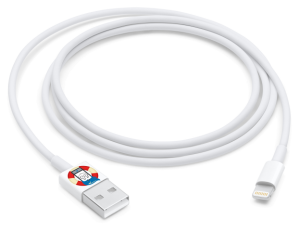
    Lightening cable (Small) Charging problems

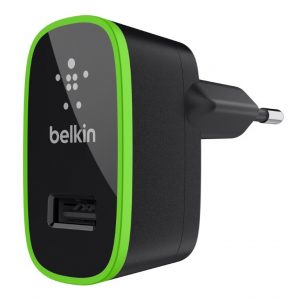
    In new models of chargers, you can often take out the charging lead and use it as a USB. Is it the case on your phone?

    Does your charger have removable charging lead?

    Choose option below

    Yes, I have got removable charging lead

    1. Plug it off from the charger and plug it into the computer or other chargers with removable charging leads.

    No worries, that does not need to be charged by the same brand as your phone. Ask someone from the family about chargers from any other phone or tablet. What is important is that it has to have the same socket.

    Charging problems 2

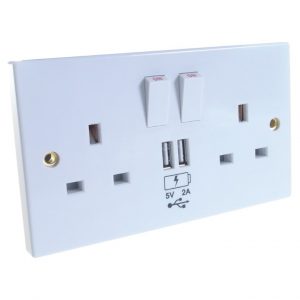
    In some cases, USB sockets might be on the wall sockets:

    Charging problems 3

    2. Is your phone charging normally? If yes, move your cable slowly and in a delicate manner on its every end; maybe the cable is broken and charges only for a moment. If everything is fine and there are no problems with charging, if you move the cable, that means your charger is faulty.

    3. The phone is charging, but it sometimes stops working if I move the cable. That means your cable is faulty or the charging socket on your phone.

    4. The phone is still not charging—faulty cable or phone.

    5. Go to other points to check other possibilities of failure.

    No, my charging lead is connected with my charger permanently

    1. Do you have another cable for your phone at home? Check in the box; sometimes producer can provide you with an additional cable. If you have iPhone, you can use the cable from other Apple devices – iPods or iPads. If you have an Android phone, you might have a micro USB and can plug it into another Android charger.

    Caution: If you have an iPhone, you cannot use an Android cable or vice versa!

    2. Is your phone charging when it is connected to another charger? If yes, move the cable slowly and delicately in the charging port. If everything is fine, that means your phone charger is faulty. If it stops charging sometimes, the charging port must be faulty.

    3. Is your phone still not charging? That means the phone is faulty. Contact us, and we can sort it out for you.

    What kind of cable do I need actually?

    Caution: many types of USB cables in retail are non-compatible. Make sure you plug in the proper cable.

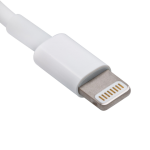
    1. Apple Lightning – cable used in every device produced by Apple actually, starting with model iPhone 5.

    Lightening connector (Small) Charging problems

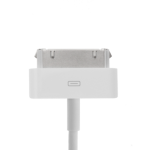
    2. Apple 30 pins – cable for older devices produced by Apple in 2003-2014, for example, iPhone 3, 3GS, 4, 4s, iPad 2, and iPad 3.

    Apple 30 pin (Small) Charging problems

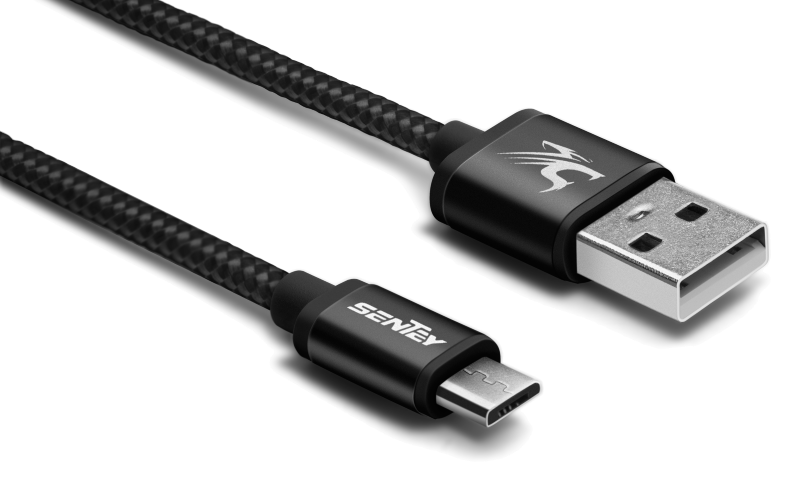
    3. Micro USB 2.0- The most popular cable for phones and tablets, which Apple does not produce.

    micro USB 2 (Small) Charging problems

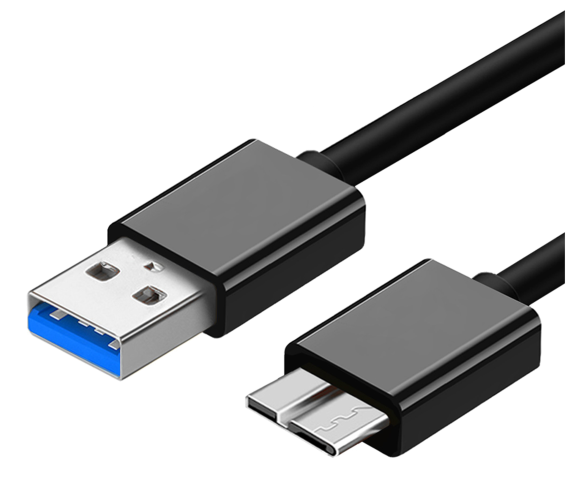
    4. micro USB 3.0 – Often used for removable hard discs, they are also in some phones. It is characteristic of version 3.0 with blue plug-ins and ports. Devices equipped in those ports (if they do not need the power of more than 500mA) might be connected by cable micro USB 2.0. as well.

    micro USB 3.0 (Small) Charging problems

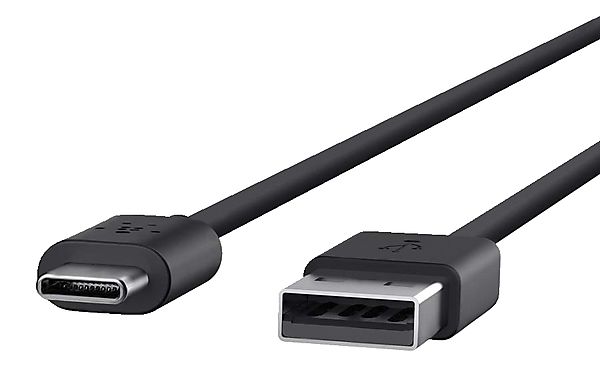
    4. USB-C – a follower of the micro USB standard. It is not very popular yet, but it has the potential shortly to replace the previous one because it has several undeniable benefits. It makes it possible to charge devices with higher voltage, and both sides can connect them. 

    USB type C

    Check your charger

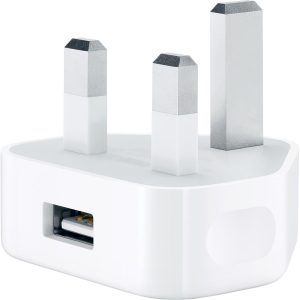
    Charger Charging problems

    Saying ‘charger’, I have on my mind a charger without cable, so just a ‘block’ plugged into the socket in the wall.

    If someone from your family or friends has a charger with a removable USB cable, use it to check if your phone is charging properly. It can be any charger 5V from any phone or tablet (iPhone, Android, iPad, tablet).

    How does your phone react after connecting to another charger?

    How does your phone react after connecting to other charger?

    Choose option below

    Phone is charging properly

    If your phone is charging properly on another charger, that means your charger is faulty.

    Phone is still not charging

    If you have checked your USB cable and your phone is still not charging on another charger, that unfortunately, means your phone is faulty.

    Contact us, and we will sort it out for you.

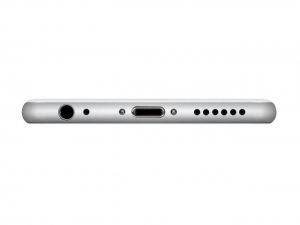
    Check your charging port

    Apple-iPhone-6-Silver-Bottom (Small)

    Is your phone still not charging?

    After checking all possible elements, your phone is still not charging, which means there is some defect inside it. Contact us, and we might be able to help you.

    There is often a case when something can get into the charging port and not properly phone charging. Check your charging port inside by lightning it by torch, view them properly and remove eventual dirt with a toothpick. Do it delicately, not to break delicate metallic pins.

    Charging problems


    Solutions for all electronic devices Apple repair specialists bournemouth. Repair your device today

    iPhone


    Bournemouth Mac repair Apple MacBook

    MacBook


    Solutions for all electronic devices iPad repair. Repair your device today. Apple repairs Bournemouth.

    iPad


    Apple iMac repair Bournemouth

    iMac


    Repair your device today. Apple repairs Bournemouth.

    iPod


    Laptop repair Bournemouth Microsoft Registered Refurbisher

    Laptop


    Smartphones repair specialists Samsung, LG, Sony, Google, Huawei repair Bournemouth.

    Smartphone


    Facebook-f


    Envelope


    Youtube


    Twitter


    Instagram


    Google


    Map-marked-alt

    More info:


    Like our profile on Facebook so you don’t miss our promotions and keep up to date with the latest news. 


    On our YouTube channel you will find videos about our promotions and what our company does. Subscribe to stay up to date.


    On our Twitter account you will get short information about our company.


    Get to know us better. Go to our Instagram profile and see photos of our company.


    On our Google My Business profile, you’ll find a lot of useful information, as well as read opinions about us. If you are already our customer, we will be happy to hear your opinion about us.

  • Phones laptops liquid treatment

    Phones laptops liquid treatment

    Phones laptops liquid treatment

    Phones laptops liquid treatment

    Professional logic board ultrasonic cleaning

    iPhone-X-water_0

    Phones’ contact with a liquid is one of the most common faults, just next to falls. Raindrops, swimming in the sea, Pepsi, beer, a bath full of water, washing machine or toilet– plenty of dangerous situations waiting for your phone. Is that mean the end of its life? Not necessarily! Everything depends on a few factors. In that guideline, you will learn how to extend the chance of rescuing and writing data on your phone. If those unfortunate circumstances happened and your phone was dropped off in the water, first of all…

    Cut the power

    If your phone has a removable battery – take it out. Water and power connected mean troubles. There is the possibility of firing it up and further galvanic corrosion of components. If it is impossible to remove the battery, at least switch the phone off when it doesn’t switch by itself. It will not cut power completely but will allow it to cut off from many sensitive elements regarding a fire. Then take out SIM and memory cards if your phone has them.

    Rice? Amazing! But just in Chinese restaurant


    On the Internet, you can find a lot of myths regarding helpful rice in cases of dropping the phone into the water; However, although beneficial for our health and a tasty vegetable, it is not very useful for rescuing your phone from contact with a liquid. Many people will try to convince you that your brother-in-law from Auntie Mary’s side rescued his phone this way. Maybe there could even be a seed of truth, but the assumption is that the same result would be from the drying process on the sun or radiator. Simply saying, dropping off into the water might not last long and, consequently, wasn’t too serious. So with rice or without, the phone becomes dry by itself. If you have priceless important data on your phone, it is better to hand it to a professional service that owns ultrasonic cleaners.

    Ultrasonic cleaner

    The tool that generates ultrasonic vibrations, combined with isopropyl alcohol or demineralised water with additional cleaning resources, can remove pollution and corrosion from hardly reachable places on the mainboard. That is the best, most well-known method of rescuing phones after contact with a liquid.

    Drying and diagnostics

    Following the bath in the ultrasonic cleaner, the phone can be dried. Then, before we plug in the battery, we start initial diagnostics and check if any of the components will not cause a short circuit, which could cause harm to a phone. If everything looks fine, we can connect all components, test the phone’s functions and eventually replace faulty components.

    Ready!

    If your reaction after contact with liquid has been relatively quick and you haven’t plug the phone to the charger and to the power before it has been completely cleaned and dried, then there is a huge chance that you would be able to enjoy your working phone again.


    Solutions for all electronic devices Apple repair specialists bournemouth. Repair your device today

    iPhone


    Bournemouth Mac repair Apple MacBook

    MacBook


    Solutions for all electronic devices iPad repair. Repair your device today. Apple repairs Bournemouth.

    iPad


    Apple iMac repair Bournemouth

    iMac


    Repair your device today. Apple repairs Bournemouth.

    iPod


    Laptop repair Bournemouth Microsoft Registered Refurbisher

    Laptop


    Smartphones repair specialists Samsung, LG, Sony, Google, Huawei repair Bournemouth.

    Smartphone


    Facebook-f


    Envelope


    Youtube


    Twitter


    Instagram


    Google


    Map-marked-alt

    More info:


    Like our profile on Facebook so you don’t miss our promotions and keep up to date with the latest news. 


    On our YouTube channel you will find videos about our promotions and what our company does. Subscribe to stay up to date.


    On our Twitter account you will get short information about our company.


    Get to know us better. Go to our Instagram profile and see photos of our company.


    On our Google My Business profile, you’ll find a lot of useful information, as well as read opinions about us. If you are already our customer, we will be happy to hear your opinion about us.